No Accounts
No logins, no passwords, no email registrations. Open the app and start organizing instantly.
Nodino is the native iOS reminder app that does one thing brilliantly: it gets what's in your head onto a list — and back into your day at the right moment. No clutter, no learning curve. Just open, type, done.
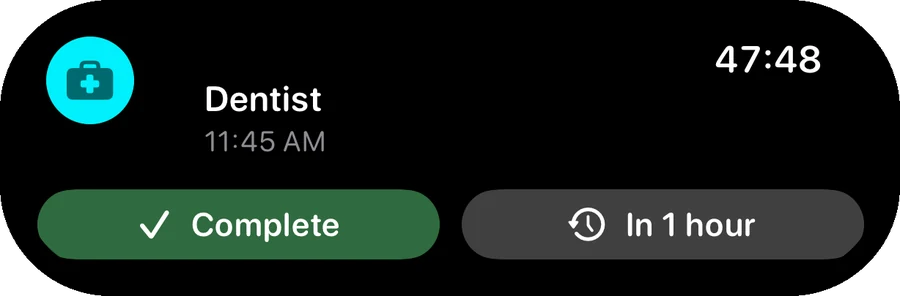
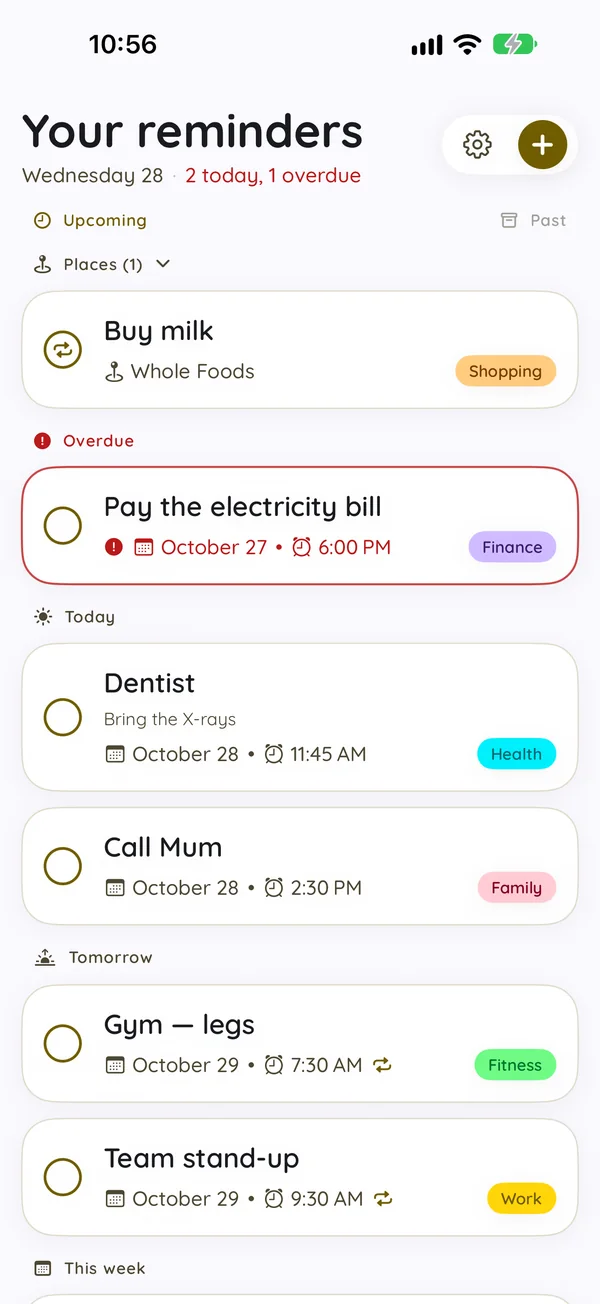
Type it like you'd say it, tick it off, and see what's next on your Lock Screen — the real app, nothing staged.
The next reminder no longer waits inside the app. It counts down on your Lock Screen and in the Dynamic Island — and you can deal with it without opening anything.
Under the hood, 1.5 makes alerts sturdier too: snoozes are never forgotten, changes from other devices update your alerts at once, and monthly reminders on the 29th–31st ring in shorter months.
Get Nodino ProA reminder is a sentence before it's a form. Type "dentist thursday at 10" and Nodino pulls the date out for you: the title stays "dentist", the date goes where it belongs, and three steps become one.
Runs on the device with Apple's own text analysis — no account, no network, nothing sent anywhere. Included in the free app. Natural Language Input →
Download on the App Store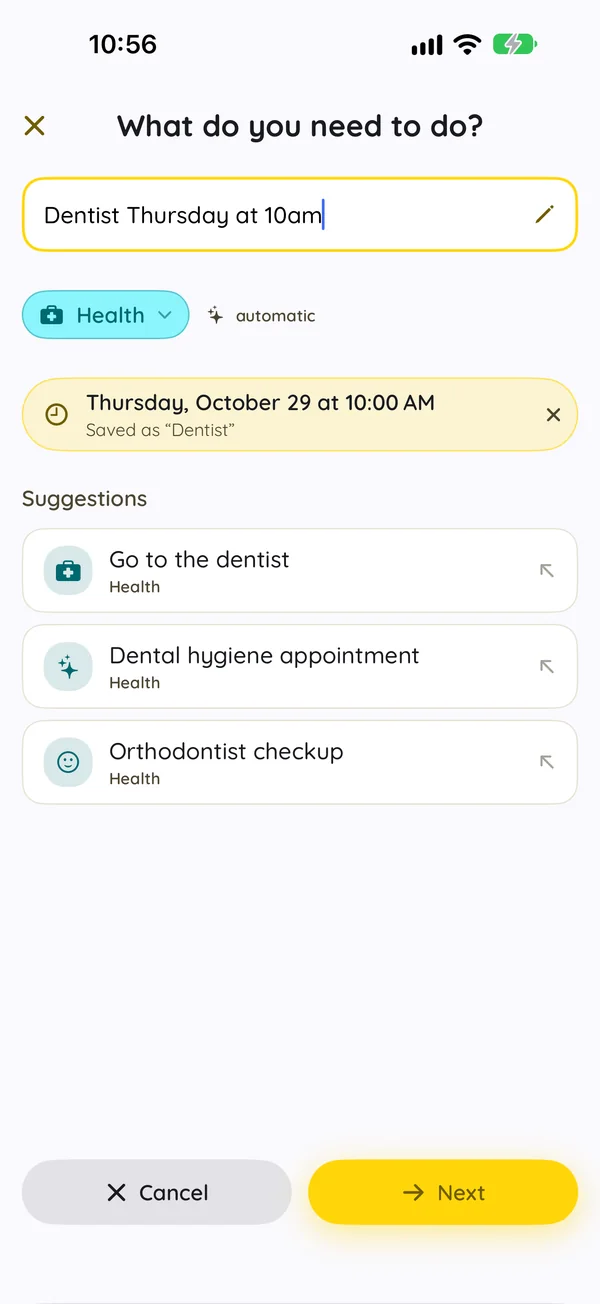
Some things aren't tied to a time — they're tied to a place. Buying milk makes no sense at 6 p.m.; it makes sense when you're at the shop. Nodino nudges you the moment you arrive somewhere, or the moment you leave.
Place reminders need location permission — choose "Always" so they work with the app closed. Your places never leave your device and your own iCloud. Location-Based Reminders →
Get Nodino Pro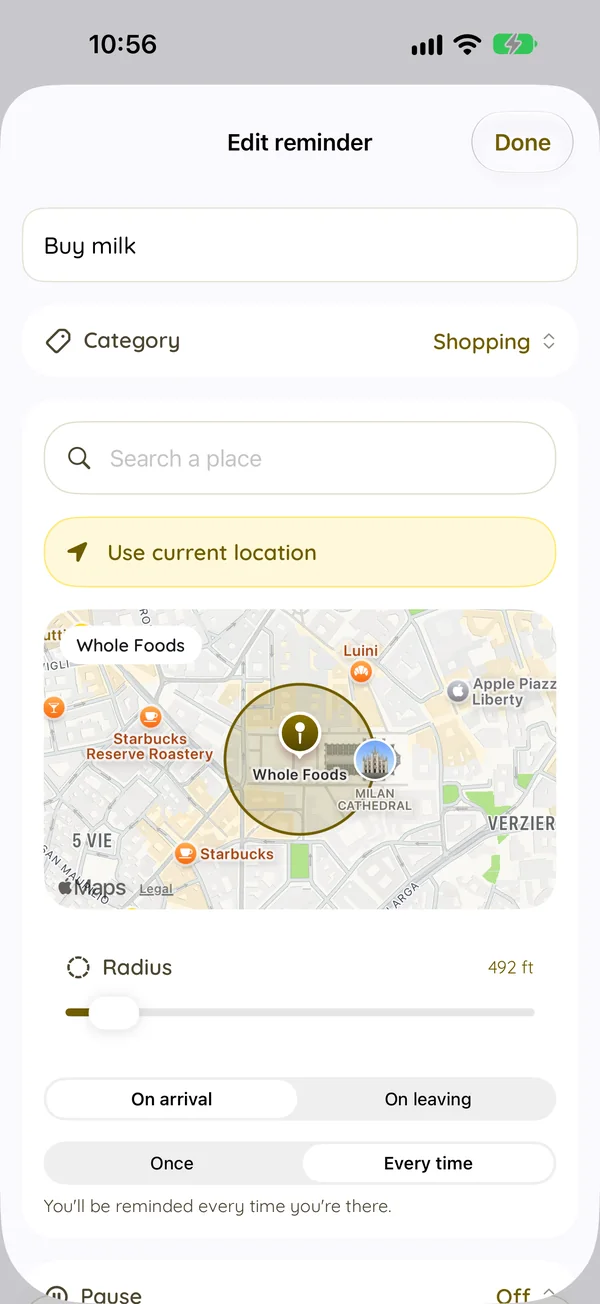
Capture reminders in seconds, organize with clean categories, and view them on your home screen. Simple, beautiful, and private.
No tedious menus. The keyboard is ready the second you open the app. Type the task, choose when (Today, Tomorrow, Weekend, or custom), select an alert, and you are done.
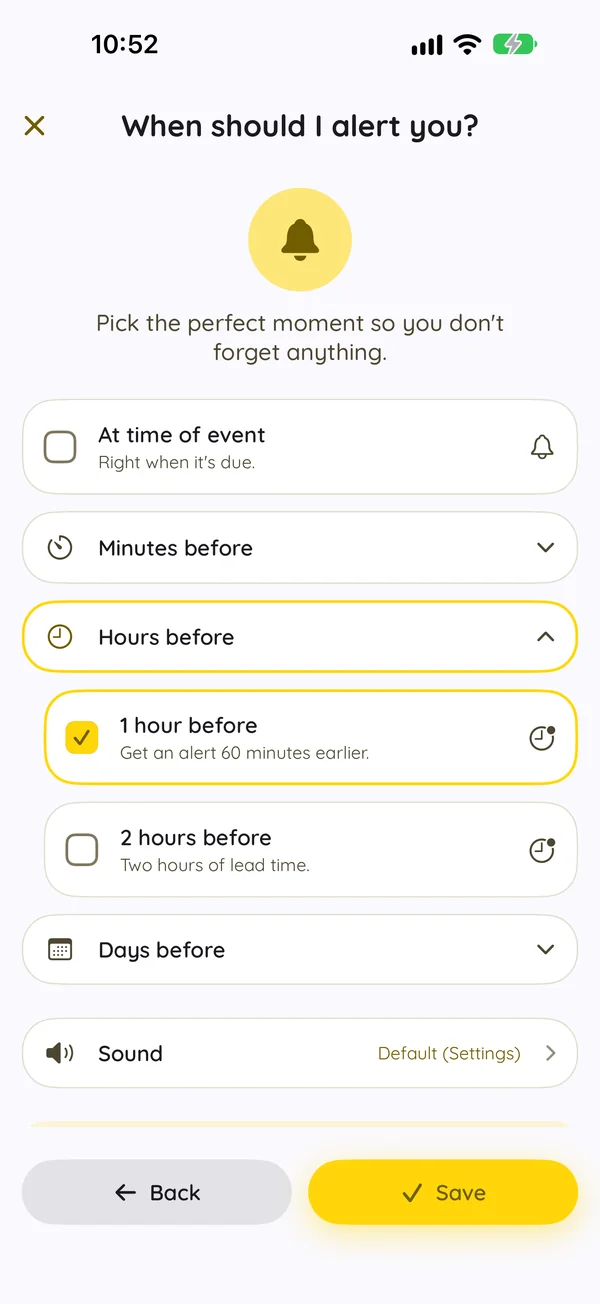
Start typing and Nodino suggests common reminders. The natural language suggestions run entirely on your device, meaning it is 100% private, offline-compatible, and instant.
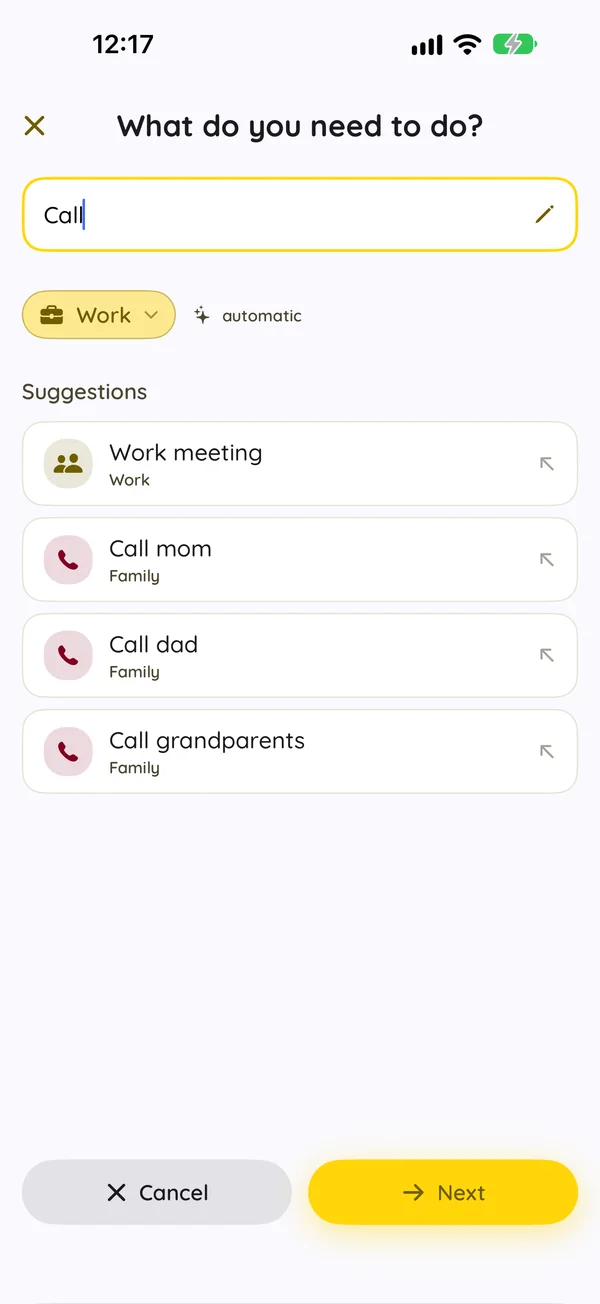
Nodino picks one of 16 color-coded categories for you as you type — change it with a tap if you disagree. Then choose from 9 beautiful light and dark themes with friendly typography.
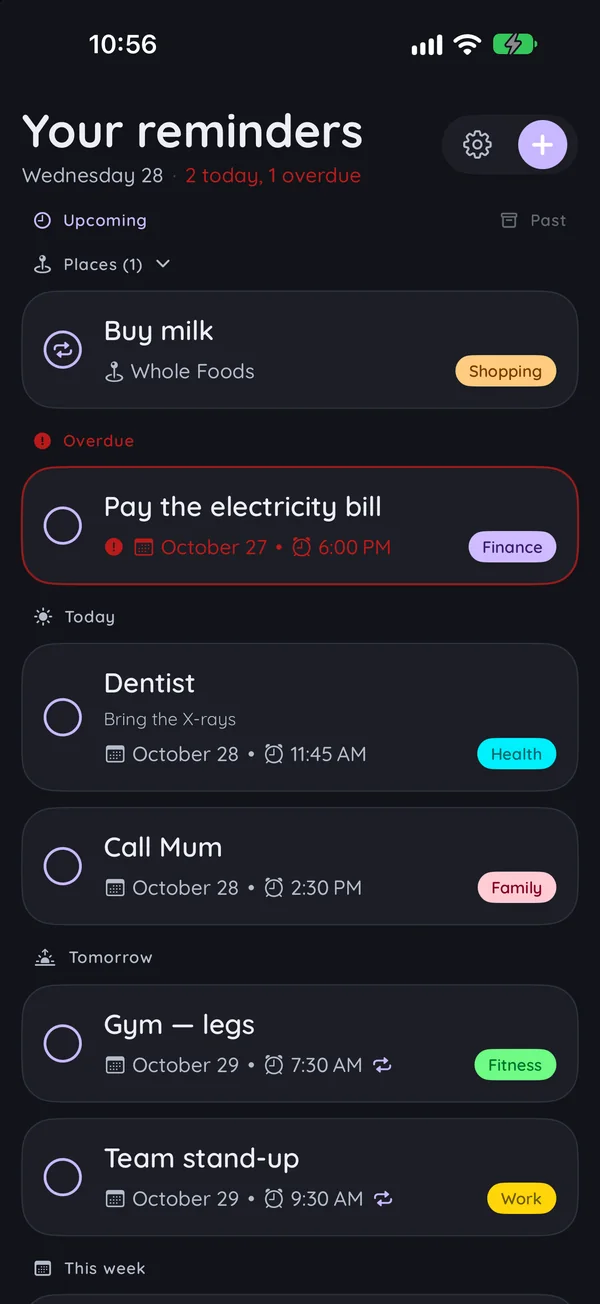
No logins, no passwords, no email registrations. Open the app and start organizing instantly.
Check items off from the Home Screen, or keep the next one beside your clock on the Lock Screen and in StandBy.
On-time local notifications with unique, high-quality alert sounds you can customize.
Repeat tasks daily, weekly, monthly, every 6 months, or yearly with advanced schedules.
Use voice commands easily: 'Hey Siri, add a reminder on Nodino' to add tasks on the go.
Completed tasks group by time and clean themselves up automatically, keeping lists light.
Saves automatically to your personal iCloud. Your lists follow you across iPhone and iPad.
Runs securely in Apple's sandbox. No third-party SDKs, tracking pixels, or ads.
Get reminded the moment you arrive at — or leave — a place. Once, or on every visit.
See what's next and tick it off from your wrist. Your reminders are already there — nothing to set up, nothing to pair.
Some things have a day, not an hour. Switch on All day and Nodino stops asking for a time it doesn't need.
The free app is a complete reminders app for up to 3 active reminders at a time — completed ones don't count. Nodino Pro lifts that limit and adds place reminders, multiple alerts, widgets, Siri, custom sounds and themes.
| Feature | Free | Pro |
|---|---|---|
| Unlimited Active Reminders (3 on Free) | — | ✓ |
| On-Device Smart Suggestions | ✓ | ✓ |
| Siri Shortcuts Integration | — | ✓ |
| iCloud Sync & Backup | ✓ | ✓ |
| 16 Color-Coded Categories | ✓ | ✓ |
| Tidy History (Auto-Cleanup) | ✓ | ✓ |
| On-Time Local Alerts | ✓ | ✓ |
| Dates Read From What You Type | ✓ | ✓ |
| All-Day Reminders (No Time Needed) | ✓ | ✓ |
| Swipe to Postpone or Delete, with Undo | ✓ | ✓ |
| Nodino on Apple Watch | — | ✓ |
| Lock Screen & StandBy Widgets | — | ✓ |
| Live Activity: Next Up on Lock Screen & Dynamic Island | — | ✓ |
| Dictate Reminders on Apple Watch | — | ✓ |
| Choose Your Snooze Buttons | — | ✓ |
| Place Reminders (Arrive or Leave) | — | ✓ |
| Up to 3 Alerts per Reminder | — | ✓ |
| Home Screen Widgets | — | ✓ |
| Custom Notification Sounds | — | ✓ |
| All 9 Color Themes (Light & Dark) | — | ✓ |


Choose between a simple subscription or a one-time lifetime purchase.
Everything you need to stay organized every day.
Unlock place reminders, multiple alerts and the full styling suite.
Available as a native In-App Purchase. Family Sharing supported.
Learn how Nodino compares to other reminder apps and optimize your iPhone tasks.
Learn how to create location-based reminders on iPhone, how geofencing alerts you when arriving or leaving, and how to set them up privately.
A detailed 2026 comparison between Nodino and Apple Reminders. Discover how location geofences, privacy, 3-tap capture, and multi-alerts set Nodino apart.
Having one alarm isn't always enough. Discover how setting multiple alerts for tasks, events, and checklists keeps you from forgetting.
Comparing Nodino and Todoist for iPhone. See why a lightweight, native, private iOS app with lifetime access compares against subscription cloud task managers.
Have a question, feedback, or need support? Write directly to the developer.